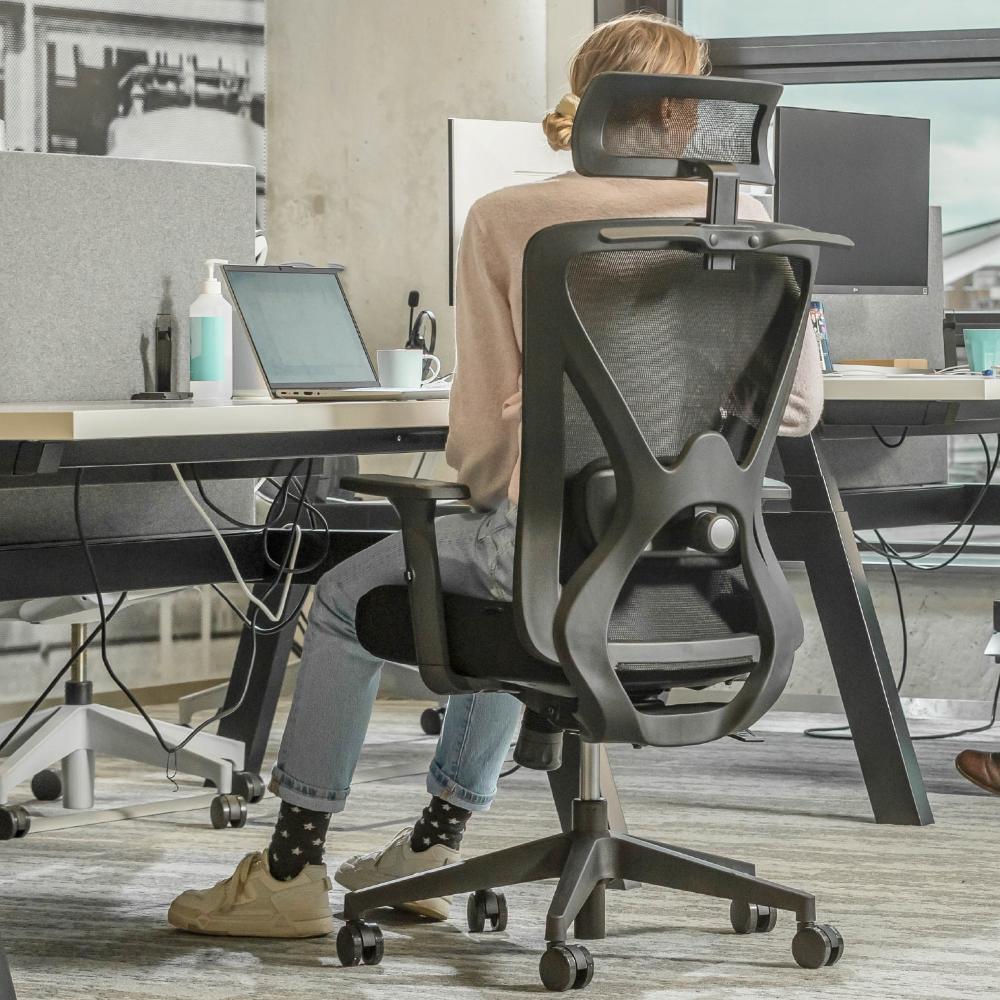

Back pain? How to Set Up Your Workplace Ergonomically in 10 Minutes
Share
Prevent Back Pain: Set up your Workspace Ergonomically in 10 Minutes
Introduction
Back pain is nowadays a common problem among office workers. The good news? Just 10 minutes is enough to set up your workspace ergonomically. With the right settings, you increase your comfort, prevent injuries, and work more productively — without expensive investments.
What is Ergonomics and Why is it Important?
Ergonomics focuses on adapting the work environment to the user. Poor working postures often lead to complaints in the back, neck, and shoulders. A well ergonomically adjusted workspace prevents overstrain and improves your well-being and performance in the long term.
Step 1: Optimize your Office Chair
Set the Seat Height
Make sure your feet are flat on the floor and your knees are at a 90-degree angle. This promotes a natural posture and good circulation.
Adjust the Backrest
Set the backrest at an angle of about 100° to 110°. Choose a chair with adjustable lumbar support, such as the Backerz Motion Mesh Ergonomic Office Chair, which actively supports your lower back and reduces pressure.
Adjust the Armrests
Your forearms should rest relaxed on the armrests at a 90-degree angle. The 3D armrests of the Backerz Motion Mesh chair are adjustable in height, depth, and angle for optimal support.
Step 2: Adjust Screen Position
Distance and Height
Your screen should be at arm's length, with the top edge at or just below eye level. This prevents neck strain or leaning forward.
Avoid Reflections
Place your screen perpendicular to windows and optionally use an anti-reflective filter. This helps you keep an upright posture and relaxed eyes.
Step 3: Proper Lighting
Natural and Artificial Light
Make optimal use of daylight, supplemented with indirect lighting. This prevents tired eyes and awkward postures.
Brightness and Contrast
Adjust your screen brightness to the ambient light. Consider a blue light filter to protect your eyes during long workdays.
Step 4: Use External Accessories
Keyboard and Mouse
Are you working on a laptop? Use an external keyboard and mouse. This prevents your shoulders from tensing or your neck from becoming strained.
Laptop Stand or Docking Station
A stand raises your laptop screen to eye level. This prevents a forward-leaning posture and significantly improves your sitting position.
Step 5: Move More Often
Alternating Postures
Try alternating between sitting and standing work. A sit-stand desk like the Backerz Sit-Stand Desk offers the perfect solution for this.
Timely Breaks
Set a timer to move every 30-60 minutes. Stretch your arms, roll your shoulders, and walk for a few minutes for better circulation and concentration.
Step 6: Make Your Workplace Personal and Practical
Efficient Layout
Place your mouse, keyboard, and documents within reach. Keep things tidy with cable management and drawers.
Comfort and Sound
A pleasant temperature and acoustics increase your work comfort. Think of a vest for cold or noise-cancelling headphones against noise.
Benefits of an Ergonomic Workplace
- Less back and neck complaints
- Better posture and comfort
- Higher concentration and productivity
- Long-term health benefits
Handy Tools and Aids
- Backerz Motion Mesh Office Chair
- Sit-Stand Desk & Chair Combo
- Free online ergonomics checks
- Posture apps like ErgonomyX or Posture Reminder
Common Mistakes to Avoid
- Leaning forward towards the screen
- No use of wrist rests with keyboard/mouse
- Sitting for hours without breaks
- Relying too much on loose back cushions
Experiences from Practice
Employees who ergonomically adjusted their workspace reported up to 70% less back pain and a 30% increase in productivity. One user reported experiencing less back pain within days of using the Motion Mesh chair.
Checklist: Ergonomic Workspace in 10 Minutes
- Adjust your chair to the correct height
- Place your screen at eye level
- Use an external keyboard and mouse
- Check lighting and screen brightness
- Plan micro-breaks and move regularly
Conclusion
Good work posture is closer than you think. Invest 10 minutes in your ergonomics and your body will thank you. With simple adjustments and the right tools, like the Backerz Motion Mesh, you’ll work more comfortably and healthily than ever.
Frequently Asked Questions (FAQ)
1. How often should I readjust my workspace?
Check your settings weekly or whenever your work habits change.
2. Is standing work better than sitting?
Variety is best. Standing work activates your muscles and improves your posture.
3. Do ergonomic adjustments help with chronic back pain?
Yes, many people experience significant relief after improving their work posture.
4. Do I need expensive tools?
No, many ergonomic improvements are cheap or even free.
5. How do I know if my posture is good?
Use a mirror or an app that analyzes your posture, or consult an expert.